
 RTC
RTC
 BLK360
 BLK2GO
 BLK ARC
 BLK2FLY
 BLK3D
BLK3D
 Accessories

Scan more seamlessly than ever before with the latest firmware upgrades to the Leica BLK2FLY! We’ve added increased sensitivity, increased speed, and custom 2D maps to take your scanning in the sky to new levels.
In this article, we’re breaking down the most significant improvements and exactly what users gain with this v5.7.0 firmware update.
Download the update directly from the BLK2FLY Live app now.
For more info on every feature included in this latest update, click here.
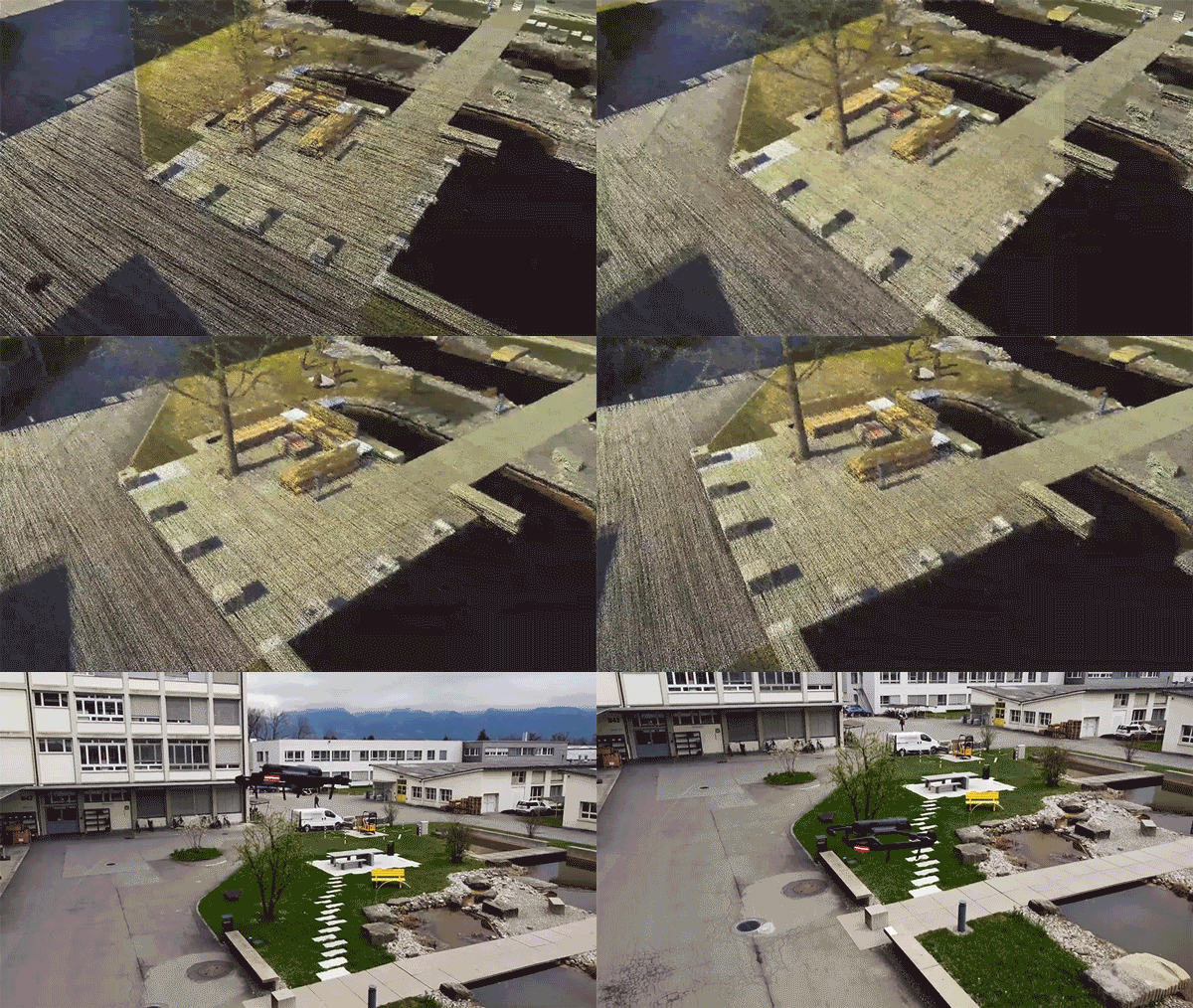
View the full video here: Increased LiDAR Sensitivity Mode for the Leica BLK2FLY
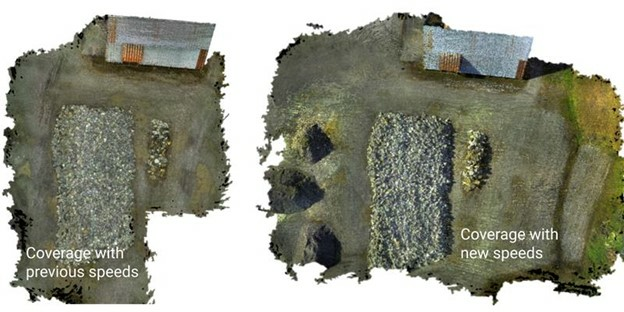
Increased Speed
Fly further with the BLK2FLY.
With the BLK2FLY's increased flight speed, users double their scanning coverage on a single charge. Scan more of your target in one scan and expand the capabilities of your workflows by accomplishing much more in ten minutes than you could before.
Increased LiDAR Sensitivity
Capture more detail with the BLK2FLY’s increased sensitivity mode.
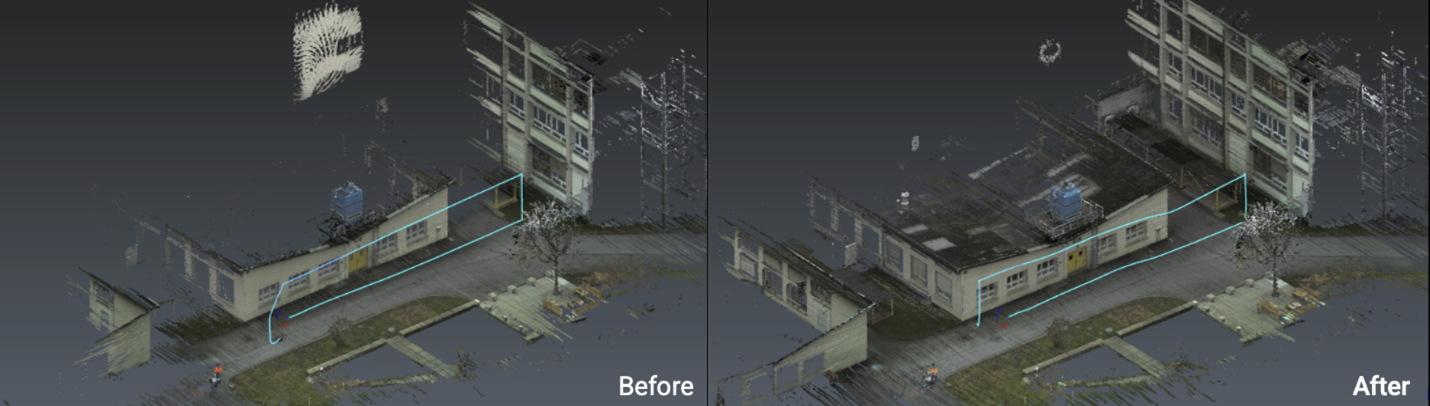
With increased LiDAR sensitivity mode enabled, you can now capture more detail in a single flight by easily scanning previously hard-to-detect areas like black surfaces and damp and reflective objects.
Users can now also capture more detail from further away.
With the sensitivity mode on and the increased speed of the BLK2FLY, the level of detail that previously would’ve taken multiple flights to capture can now be captured in just one flight.
Custom 2D Maps
This much-requested feature has now been added to the BLK2FLY!
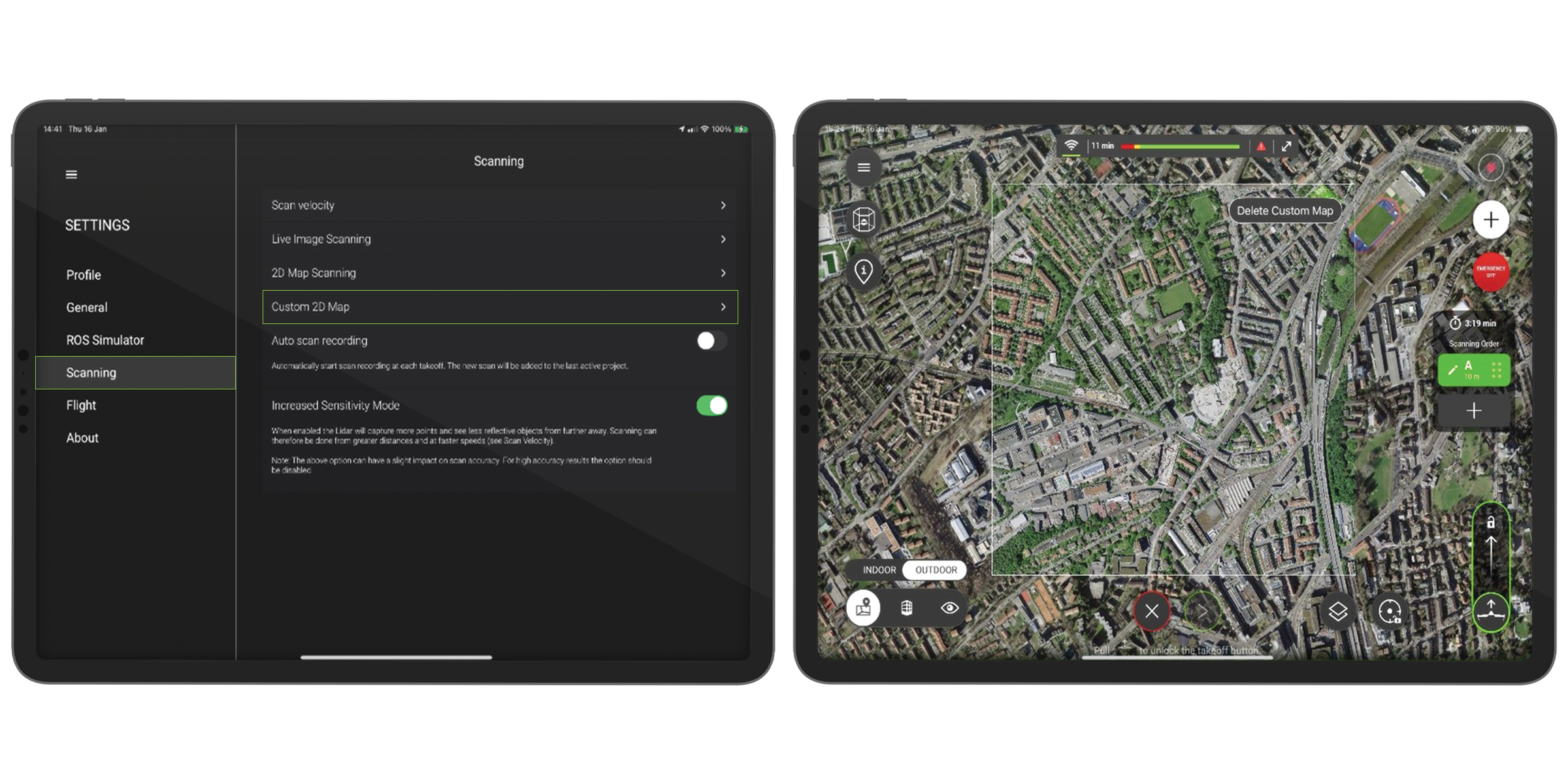
Users can upload and add any GeoTIFF image directly to their map on the BLK2FLY Live app. The image will automatically appear within the existing map when in Map View.
With your BLK2FLY, scan and capture data autonomously with the latest and up-to-date georeferenced images on the BLK2FLY Live app 2D map view. And explore constantly changing areas with accurate recent infrastructure via the custom 2D map feature.
Best Use Cases
Quickly upload 2D maps onto the map display in BLK2FLY Live app to have the most up-to-date data as you plan your flights.
-
Construction site monitoring: As construction continues onsite, grab a GeoTIFF image from your local government or town hall and get a complete look at the area's landmarks. Throughout the project, reference the 2D map in the BLK2FLY Live app to send the BLK2FLY to scan and know exactly where everything is onsite.
-
Large outdoor areas: Extensive grounds like solar panel fields and coal power plants frequently have outdated satellite views from a couple of years ago; with custom 2D maps, you can upload the most recent satellite view and plan your scan missions accurately.
-
City streets and downtown areas: For heavily built-up congested areas, like cities with constant new construction, have the most up-to-date satellite view on hand, and upload your own custom GeoTIFF image to plan your scan missions accordingly.
How it Works
From the BLK2FLY Live app, go to Settings, then select Scanning and press Custom 2D Map. From your local storage, choose the GeoTIFF image you want to upload.
Then, on the live Map View, the georeferenced image will automatically fit into the base map.
Experience a night and day improved experience with the latest firmware update to the BLK2FLY now.
Curious about the BLK2FLY? Contact a BLK2FLY specialist here to learn more about the world’s first autonomous flying LiDAR UAV scanner.