Browse Products
  • BLK Laser Scanners: BLK Series fixed, handheld, and autonomous LiDAR

Utility

  • US
  • Contact
Sign In

Contact Menu

  • Contact

User account menu

Sign In

Utility

  • US

User Sign In

Login
  • Reset your password

Back to In the Wild

3 May 2019

Area

By april.snyder

Learn how to use the Area function of the Leica DISTO D810 Touch laser distance measurer.

This video is a step-by-step explanation of how to calculate area using your DISTO.

Each of our laser distance measurers come equipped with the Area Function, from the S910 Touch to the E7100i.

Related Videos

Video

From Speed to Precision: Smart Room with Diagonals

Video

Leica DISTO Plan App - How to use Measure 3D

Video

Leica DISTO Plan App - How to use Measure Plan

Video

Leica DISTO Plan App - How to use the Export function

Video

The measuring solution for roofers

Video

A day in the life of Alexander Berti, a tiler from Buch, Austria

Related Content

More from In the Wild

Video

From Speed to Precision: Smart Room with Diagonals

Accurately capturing room layouts is a critical task for architects, interior designers...

Video

Leica DISTO Plan App - How to use Measure 3D

This video explains step by step the Measure 3D function of the...

Leica DISTO X6 DST360X laptop CAD

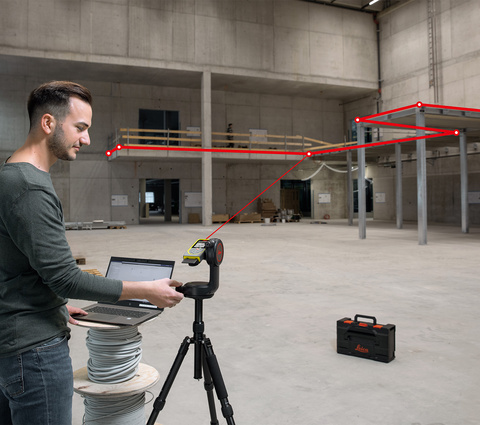
Do it right the first time - Why precision pays off when measuring

On construction sites and during surveying work, every detail counts - and...

Subscribe to Our Newsletter

Sign Up

Image
Hexagon
  • About Hexagon
  • HxGN Live 2025
Leica Geosystems
  • About Leica Geosystems
©2026 Leica Geosystems AG • Part of Hexagon

Legacy Footer Legal Links

  • Imprint
  • Terms of Use
  • Privacy Policy
  • Store Policy
  • Cookie Policy
  • About Us
  • Contact

Legacy Social Media Links

  • Follow Us
  • Twitter
  • Facebook
  • Instagram
  • LinkedIn